Module
Dashboard
Your day, assembled: attention, week ahead, widgets, automations.
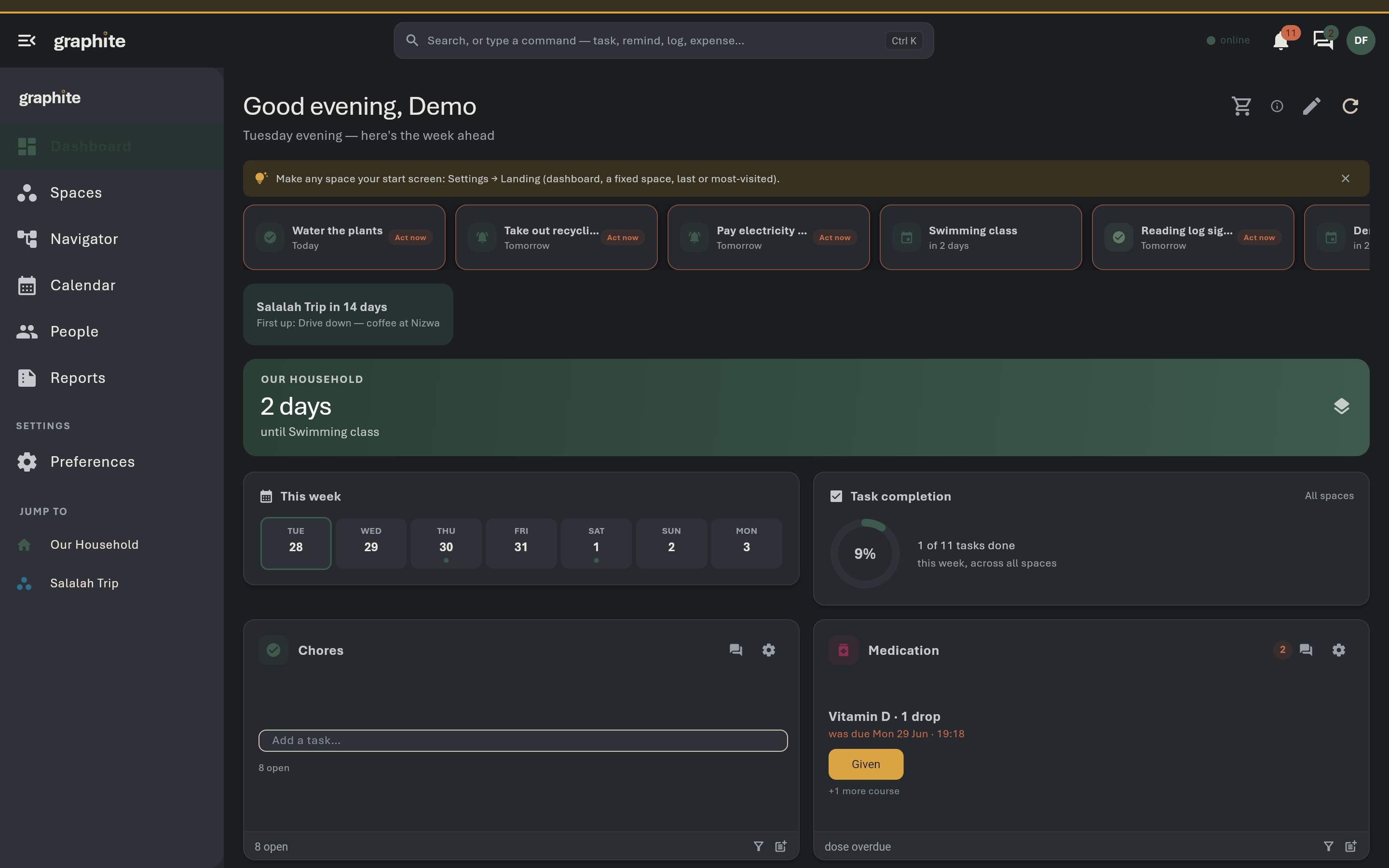
What it does · tap to open
Needs Attention
Overdue tasks, low/out supplies, expiring documents and supplies, due references, overdue bills — with act-now pills that fix things in place.
The bell
Nudges with snooze/dismiss; milestone celebrations; quiet by design.
Messages inbox beside the bell
Every discussion thread, unread counts, reply in place.
Composable widgets in edit mode
Week strip, task completion, habits, spending, shopping list, pinned spaces/modules and people.
Context cards
Weekend ahead, leave coming, deadline clusters.
Automation rules
When X (supply runs out / task overdue / doc expiring / budget exceeded / rota turn starts) → add a task or set a reminder; each fires once per record.
Coverage gaps from Work Schedule surface
Coverage gaps from Work Schedule surface here.
The workspace Shopping List popup merges
Every supply module.
Landing preference
Open the app on the dashboard or any Space you choose.